


Spotify for Creators
3.77.53K Reviews
App Specs
- Version
- 7.114.2.1
- Updated On
- License
- Free
- Downloads
- 10,000,000+
- Developer
- Spotify AB
- Categories
- Music & Audio
- Platform
- Android, iOS
Screenshots
 Analysis by AppCompare
I’d start by asking what you need from a creator app, because the answer changes whether Spotify for Creators is a useful daily tool or simply another icon on your phone. Are you trying to keep an eye on an existing show, build a routine around publishing, or find a place to manage a creative project? Those are different jobs. My view is that the app makes most sense when you already have something to manage and want a mobile companion, rather than when you expect an app alone to launch a career.
That distinction matters because the name can suggest a broad toolkit for every kind of music maker. In practice, I’d judge it by the specific creator work you want to do and by whether the service fits the way you already publish. Spotify AB makes this free app in the music and audio category. It has a Teen age rating, a 3.7 average from around 84,000 ratings, and more than 10 million installs. Those figures suggest a sizeable audience, but they don’t tell me whether its workflow will suit you; that comes down to your own publishing habits.
Choose it for the job you actually have
Before installing, I’d decide what I want to check while away from a desk. If I mainly need a quick view of how a podcast is doing or want to stay connected to its management, a phone-based companion can be convenient. If my priority is detailed production, editing, or planning a complicated release, I’d first ask whether a mobile app is the right place to do that work. Convenience and depth aren’t the same thing.
A practical test is to picture a normal week, not a best-case launch day. Would I open the app between errands to keep up with creator tasks, or would I only remember it when I’m already at my computer? The more often the answer is “I’d use it in small gaps,” the stronger the case for installing. If you rarely manage your project on the go, a desktop-first workflow may be easier to stick with.
Where the Spotify connection helps
The strongest reason to consider this app is its connection to Spotify’s creator ecosystem. If your work is tied to the platform, keeping a dedicated creator tool close at hand can make more sense than trying to manage everything through the regular listening app. I like that separation in principle: one app is for enjoying audio, while this one is aimed at the work behind a creator presence.
That distinction is useful for people who already think in terms of episodes, audience development, and an ongoing publishing schedule. A phone is especially handy for short checks: you can build the habit of reviewing how a project is going without turning every check-in into a full desk session. I’d use it as a prompt to stay attentive, then reserve longer planning or production sessions for the tools that suit those tasks.
Getting Started with Spotify for Creators
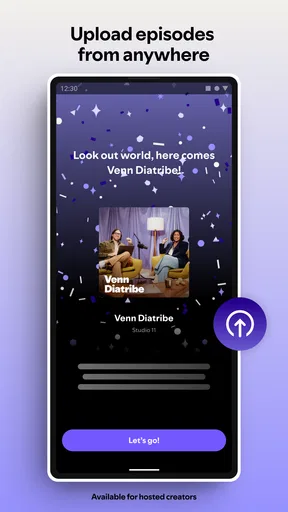
First things first, getting the app set up was a breeze. I know, sometimes apps can be a bit of a hassle to get rolling, but not this one. Once you download it, you're guided through a simple and intuitive setup process. It’s like the app knows you’re eager to get your music out there.
Worth Reading Before You Choose

EA SPORTS FC Mobile 26 Is a Bigger Football Game, but It Takes Time

Flipboard Shows What News Apps Must Do Beyond the Feed

Switching to Android Auto Means Rethinking Your Driving Routine

Google Calendar Makes a Crowded Week Easier to Manage

Ludo King Makes the Most of the Minutes Between Plans

Baby Panda World Brings Quick Play to Modern Phones, but Its Game Library Feels Busy
The interface is slick and modern. It’s got that Spotify vibe we all know and love, but with a twist that’s tailored for creators. Everything is where you’d expect it to be, so there’s no fumbling around. Just a few taps and you're ready to unleash your creativity.
Features That Stand Out
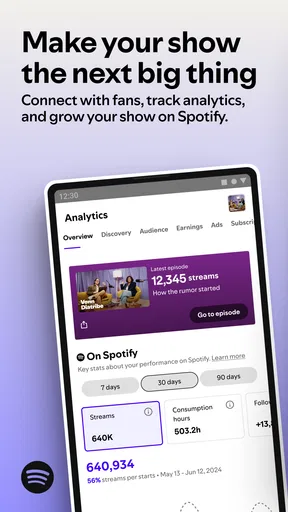
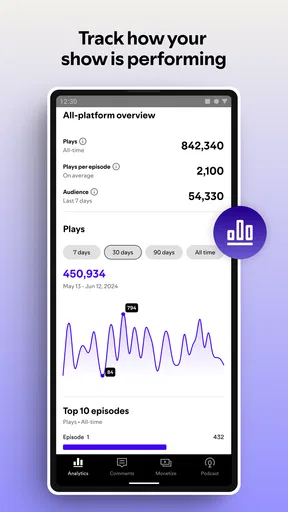
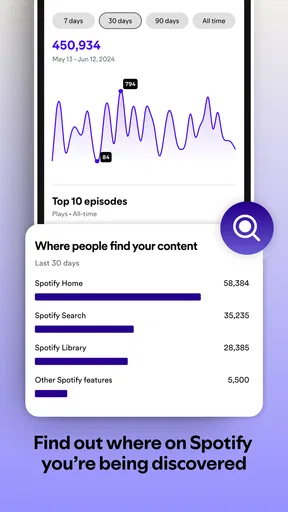
Now, let’s talk features, because this is where Spotify for Creators really shines. One of the coolest things is the data insights. You get access to real-time stats about your music. Who’s listening? Where are they from? What tracks are they vibing with? It’s like having a backstage pass to your own music career.
Another feature I absolutely love is the playlist pitching. You can submit your tracks directly for playlist consideration. Imagine getting your latest single on a curated playlist with thousands of followers! It’s an artist’s dream come true.
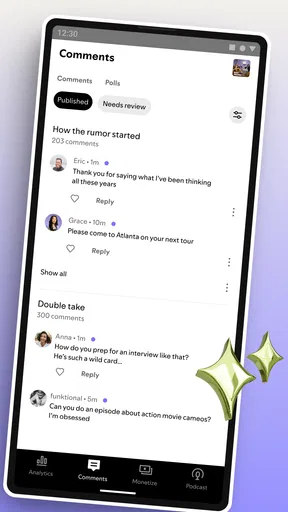
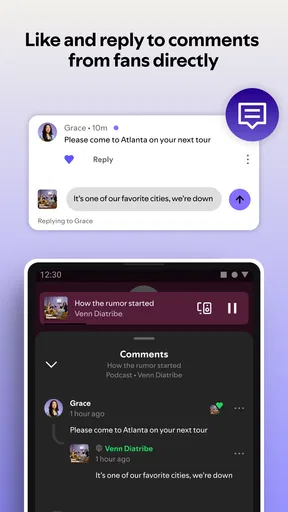
Collaboration is another biggie. The app allows you to connect with other artists and even fans. You can share your creative process, get feedback, and collaborate on projects. It’s like having a creative community right in your pocket.
User Experience and Design
Let’s be real, nobody likes an app that’s clunky and hard to navigate. Thankfully, that’s not an issue here. The design is clean and focused on usability. Whether you’re browsing through stats or pitching a track, everything feels smooth.
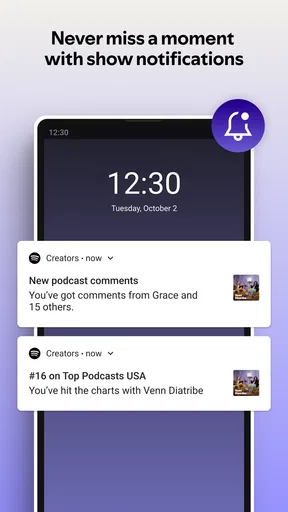
Notifications are smartly done too. You get updates about important happenings related to your music, but it doesn’t feel overwhelming. Just enough to keep you in the loop without being a distraction.
Why Musicians Should Jump In
If you’re a musician, producer, or just someone who loves creating music, this app is a must-have. It’s not just about getting your music out there, but understanding your audience and shaping your journey as an artist.
Plus, the community aspect is fantastic. You’re not just a lone artist in a sea of music; you’re part of a vibrant network. Sharing tips, collaborating on projects, and just connecting with like-minded creators is invaluable.
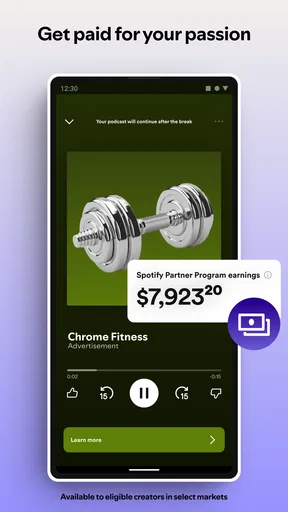
And hey, let’s not forget about the monetization opportunities. With Spotify’s massive user base, getting your music heard and potentially making some cash from your craft is very much within reach.
Final Thoughts
In my honest opinion, Spotify for Creators is a must-download for anyone serious about their music. It’s packed with features that not only help you grow as an artist but also connect you with a community that shares your passion. It’s like having a personal assistant and a fan club all rolled into one app.
So, if you’re itching to take your music to the next level and get it heard by the world, give this app a spin. You won’t regret it!
Where another kind of tool may fit better
For a creator who wants one place to record, edit, mix, and publish audio, a dedicated production app or desktop workstation is usually the more natural starting point. Those tools focus on making the material; a creator-management app is better understood as a companion for the work around a published project. I wouldn’t choose this app as a substitute for recording software, nor would I assume a creator dashboard can replace a distributor or a full publishing workflow.
There’s also a difference between audience management and audience discovery. A platform’s creator tools may help you pay attention to the people already engaging with your work, but that isn’t the same as a promise that listeners will find you. I’d treat any promotion option as one part of a broader plan: make something worth returning to, tell your existing audience where to find it, and use platform tools to support rather than replace that effort.
For podcast creators, the usual alternatives include managing a show through a browser-based dashboard, using a hosting service’s own app, or keeping notes and schedules in a general-purpose organizer. Each approach has a trade-off. A focused creator app is convenient when you want a quick mobile check-in; a browser or specialist service may feel more appropriate when you need to compare many details or coordinate a larger workflow. I’d choose based on the task I repeat most, not on the promise of having everything in one place.
A realistic day-to-day workflow
Imagine you publish regularly and have a few minutes free while waiting for an appointment. Rather than opening a full production setup, you can use that gap to check in on the project, note a question to follow up on, or decide what deserves attention when you’re back at your desk. The useful part is not doing every creator task on a phone; it’s keeping small decisions from slipping until the next scheduled work session.
One habit I’d recommend is to separate observation from reaction. A change in audience activity can be interesting, but a single check isn’t a strategy. I’d review patterns when I have enough context, write down one sensible follow-up, and avoid changing a show’s direction because of a momentary fluctuation. Mobile access is best when it helps me stay informed without encouraging me to chase every signal.
For a small team, the same principle applies: use the phone for quick awareness, and agree on where decisions and shared notes actually live. A creator app can sit inside a workflow without becoming the workflow itself. That boundary reduces duplicated messages and the frustration of expecting a lightweight mobile tool to serve as a complete production hub.
What to expect from the mobile experience
The app is free, which makes trying it a fairly low-commitment way to see whether a dedicated creator space fits your routine. Still, free does not automatically mean frictionless. You need a clear reason to open it, and any mobile interface can feel limiting when the task involves detailed comparisons, long-form writing, or several moving parts. I’d keep those jobs for a larger screen if that is where I can think and work more comfortably.
It is also worth checking that you are approaching the app with the right expectations. The store summary points toward podcast management and growth, while the older published description above presents it as a broad tool for musicians, music analytics, playlist submissions, and collaboration. Those are not interchangeable purposes. I would not base a decision on every feature claim in that older description; I’d install it for the creator workflow I actually need and judge the current experience against that job.
The app’s current version is 7.101.0.1395, and it requires iOS or Android 11 or later. I’d check compatibility before building a routine around it, especially if I use an older phone or keep devices for a long time. The release date is Sep 28, 2016, so the product has been around for years, but longevity alone doesn’t tell me whether a particular workflow is the right fit.
Switching without making extra work
If you already manage a podcast elsewhere, I wouldn’t move everything just because a new app is available. First, identify what you currently rely on: where you publish, where you review performance, where your notes live, and who needs access. Then try the creator app alongside that setup for a short, ordinary stretch. If it makes a recurring check easier without creating duplicate records, it may earn a permanent place.
Before changing a routine, keep essential information somewhere you can reliably find it. That could mean preserving your existing planning notes and knowing which service remains your source of truth. Switching tools is often less about the download and more about unlearning habits; if you can’t tell which screen holds the latest decision, the new app has added friction rather than removed it.
Creators who are starting from scratch should keep the setup simple. Decide on a publishing rhythm you can sustain, choose a home for production files and editorial notes, and add a creator-management app only when it solves a specific problem. That avoids mistaking activity inside an app for progress on the actual show.
Who I’d recommend it to
I’d recommend giving it a try if you already work with podcasts and want a convenient mobile way to stay involved in their management. It may also appeal to creators who like checking in between longer work sessions and who are comfortable treating phone access as a supplement rather than the whole studio. The Teen content rating is unlikely to be the deciding factor for most adult creators, but it is useful context for families choosing apps for younger users.
I’d skip it, or at least wait, if you want a full audio editor, a guaranteed route to listeners, or a single app that handles every part of a creative business. Someone who prefers a simple, stable desktop process may gain little from another mobile dashboard. And if you are a musician looking specifically for tools to compose or produce tracks, a music-making app is a more direct match than a service whose current summary centers on managing and growing a podcast.
My recommendation is practical rather than universal: try it if a Spotify-centered creator workflow is already relevant to you, then keep it only if it makes a real task easier. Its free price removes the need to commit money before testing the fit, but your time and attention still count. For the right creator, it can be a handy check-in point; for everyone else, choosing a tool built around the work they actually do is the better decision.
Pros
- User-friendly interface for managing content.
- Real-time analytics for detailed insights.
- Easy integration with social media platforms.
- Customizable profile and playlist options.
- Access to promotional tools and campaigns.
Cons
- Limited features in the free version.
- Occasional bugs with playlist updates.
- Analytics may delay during peak times.
- Requires stable internet for best performance.
- Some features locked to premium users.
FAQs for Spotify for Creators
What is Spotify for Creators and how does it differ from regular Spotify?
Spotify for Creators is a platform specifically designed for artists, podcasters, and content creators. Unlike the regular Spotify app, which is aimed at listeners, this app allows creators to manage their profiles, track their performance analytics, and engage with their audience. It provides tools for promoting content and understanding listener demographics, making it an essential tool for creators aiming to grow their audience.
How can I access my analytics on Spotify for Creators?
Accessing your analytics on Spotify for Creators is straightforward. Once you log in to the app with your creator account, navigate to the 'Analytics' section. Here, you'll find detailed insights into your streams, audience demographics, and trends over time. This data helps creators tailor their content and marketing strategies to better reach their target audience.
Is there a cost associated with using Spotify for Creators?
Spotify for Creators is free to use for artists and podcasters. There are no upfront costs or subscription fees. However, Spotify does take a percentage of the revenue generated from streams. The platform provides an opportunity for creators to monetize their content through Spotify’s streaming service, which can be beneficial for those looking to reach a wider audience.
What features does Spotify for Creators offer to help promote my content?
Spotify for Creators offers several features to help promote your content. These include playlist pitching, where creators can submit their tracks for potential inclusion in popular Spotify playlists, and the ability to customize your artist profile with images and a bio. Additionally, creators can use social media integration tools to share their music or podcasts directly from the app, maximizing their content's reach.
Can I use Spotify for Creators on both Android and iOS devices?
Yes, Spotify for Creators is available on both Android and iOS devices. The app is designed to provide a seamless experience across different platforms, allowing creators to manage their content, view analytics, and connect with their audience from any device. This flexibility ensures that you can keep track of your performance and make necessary updates on the go.


